Deploy Your Website to GitHub Pages
We will deploy, or publish, our web page(s) to GitHub Pages. Please note that this approach works well for websites built with HTML, CSS and vanilla Javascript.
❗️
We will publish the contents of a specific branch and a specific folder within that branch. For simplicity, ensure that your main file (e.g., index.html) is located at the root of the repository, not inside a sub-folder.
Steps to Deploy
On GitHub, navigate to your repository.
Open the Settings tab of the repository.
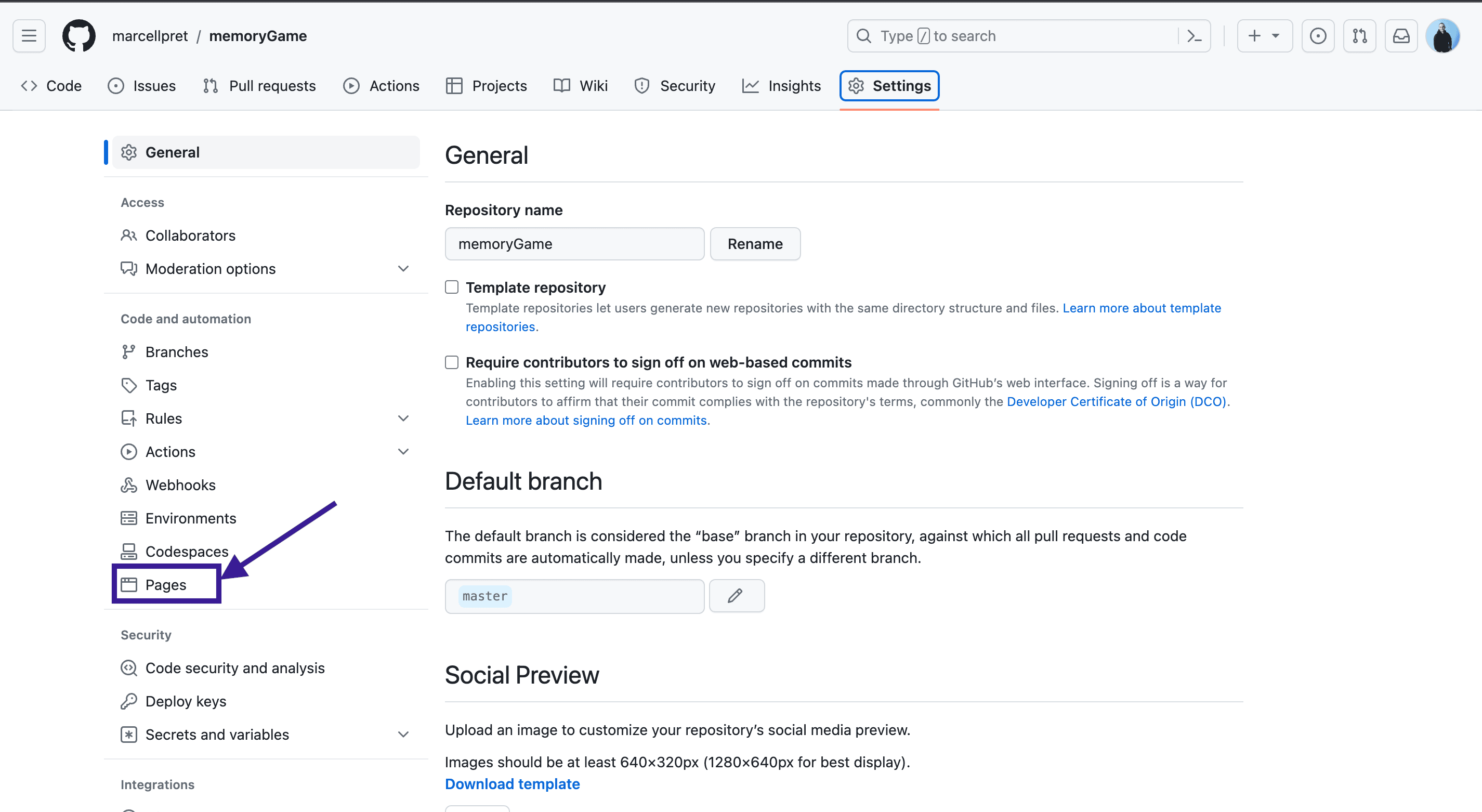
From the left-hand menu, select Pages.
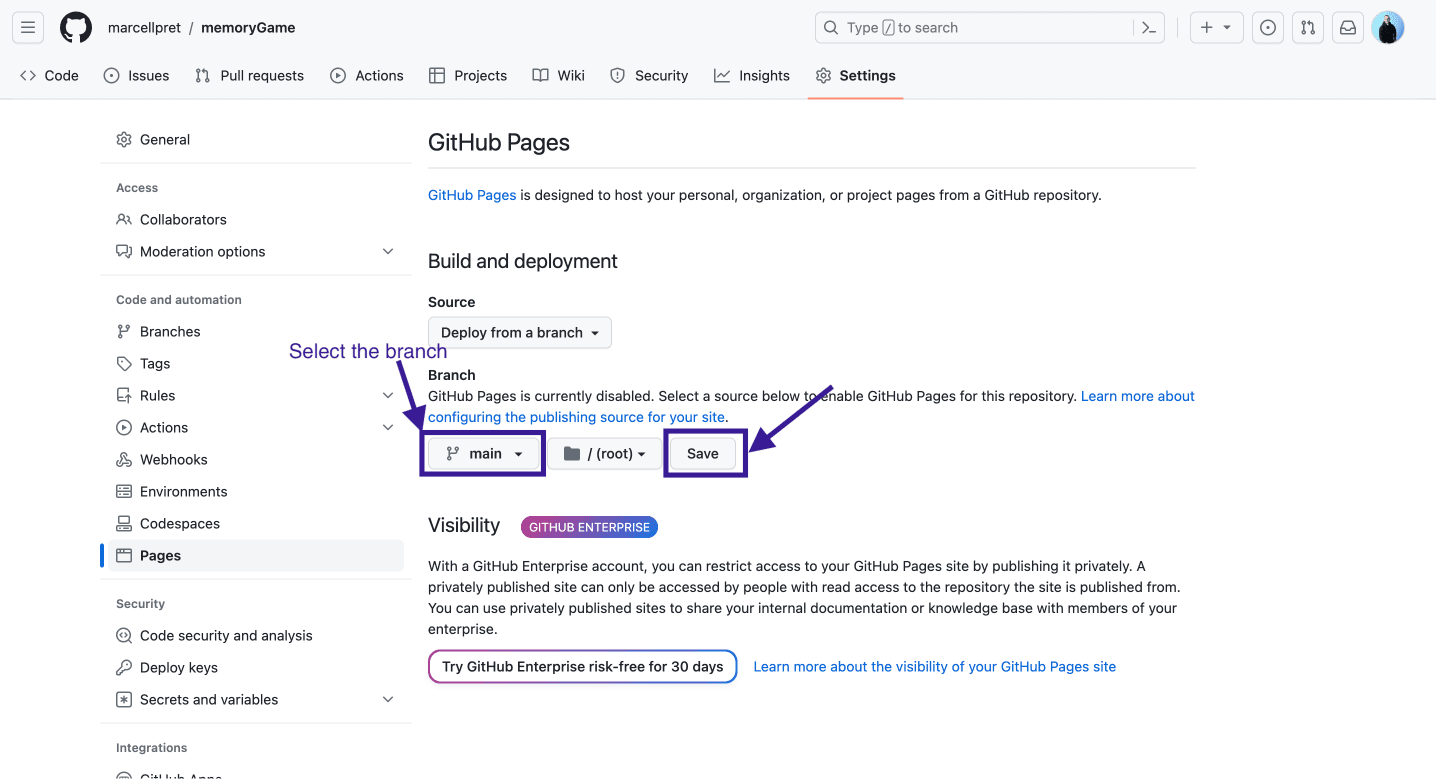
Select the branch you want to deploy. In our case, we will choose main. Click Save.
Please note that you can also select a directory to deploy before clicking
Save, e.g., if the folder you want to deploy is not at the root of your repository.
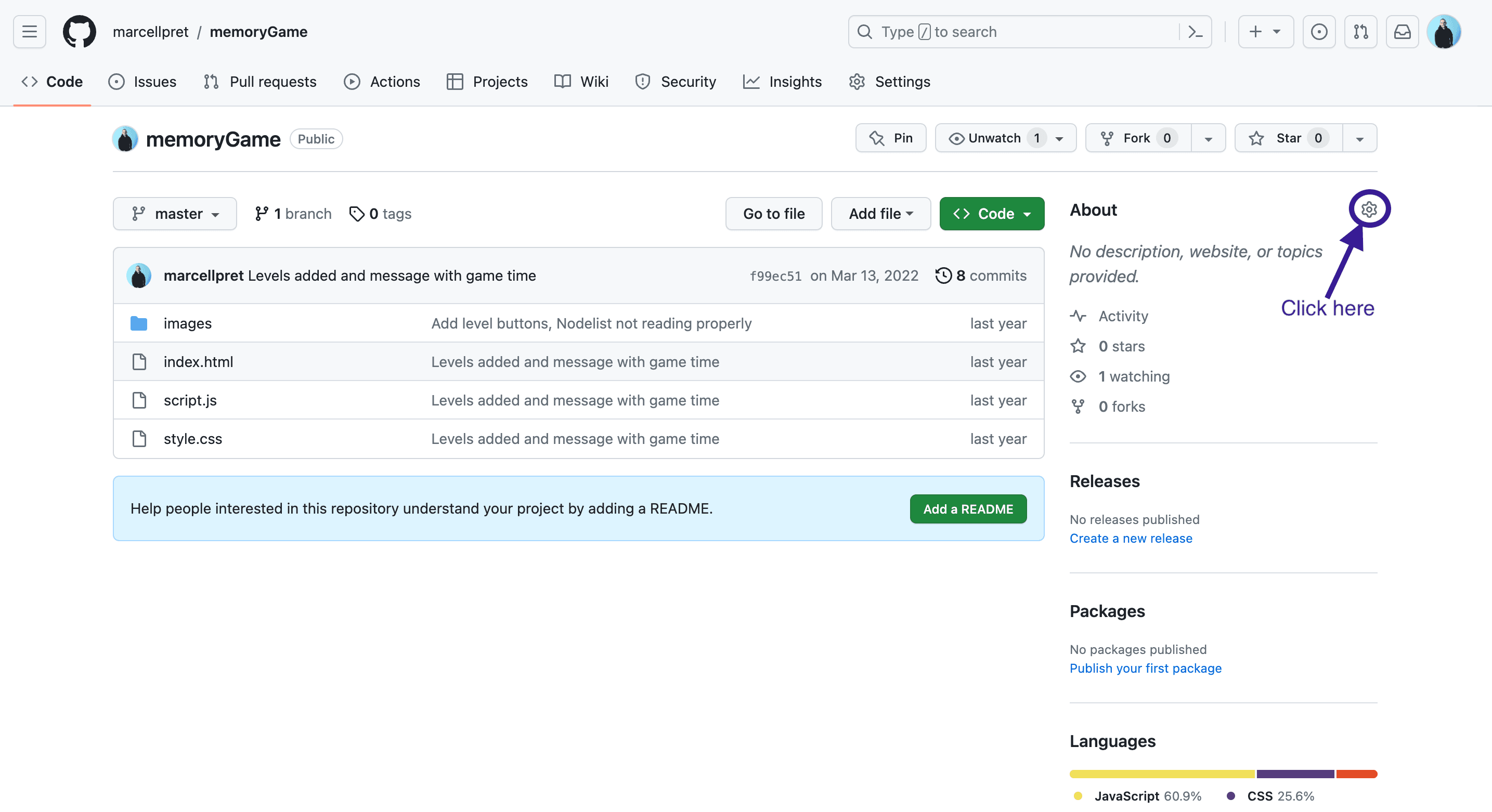
Your website is now deployed! To find the URL, click on the Code tab to return to your repository's main page.
Add the URL in the About section of your repository.
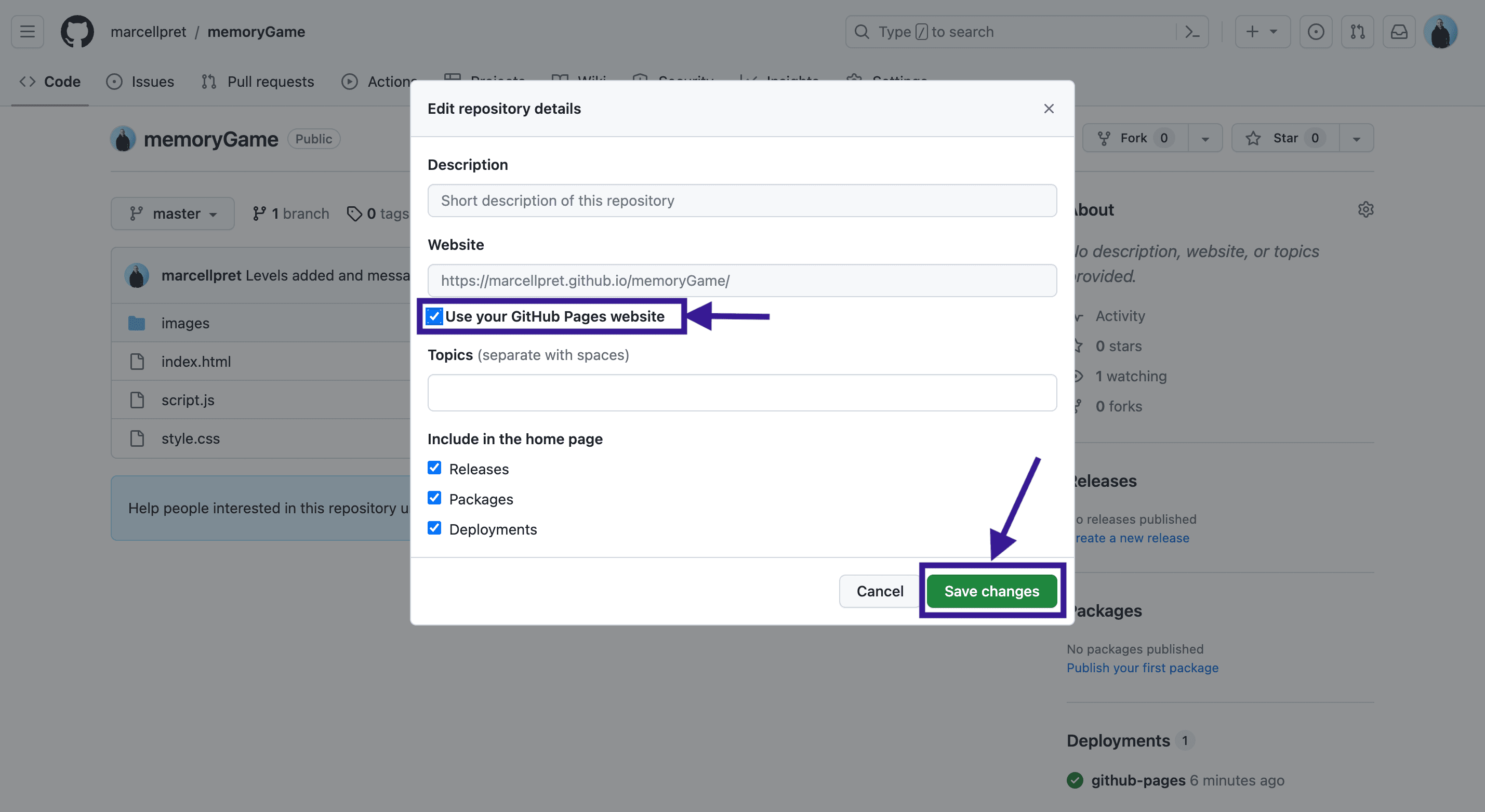
On the pop-up, select Use your Github Pages website and then click Save changes.
Your website’s URL is now displayed in the About section of your repository. Click on it to view your page!
For more detailed information about deploying a website to GitHub Pages, refer to the official GitHub Pages documentation (opens in a new tab).